by Jared H.
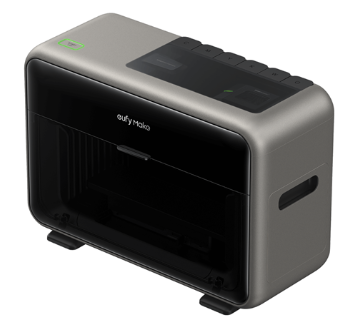
Meet Our UV Printer
We are excited to announce the release of our eufyMake E1 UV Printer. What makes UV printing so unique is the ability to print on nearly any surface. The liquid resin is sprayed onto the surface and immediately cured with a UV light.
Getting Started
The training process will follow the same format as our current training for our laser engraver, vinyl cutter, and 3D printers in our Fab Lab. You’ll find a training course on our website HERE. Upon completing the training, you’ll be prompted to contact us to set up your in-person training session where we’ll walk you through handling the machine itself.
Model – eufyMake E1 UV Printer
This printer was publicly launched in May 2026 and is roughly 90% smaller than industrial UV printers. This small footprint made it the world’s first personal home studio textured UV printer.
Features
Dimensional Printing
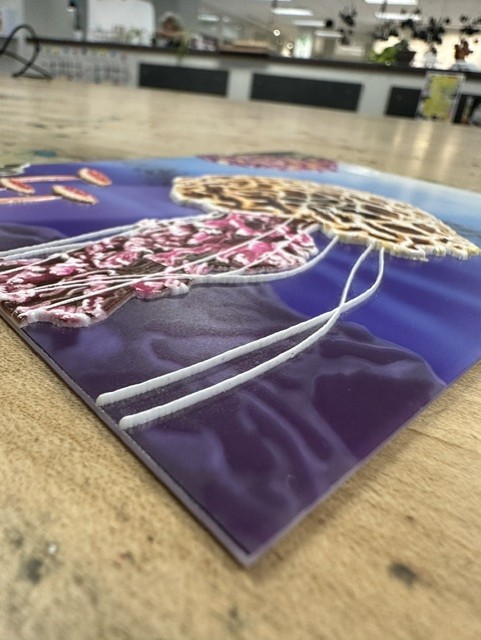
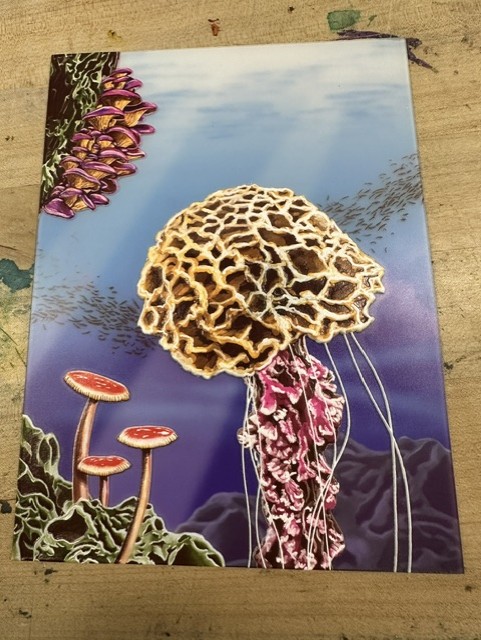
The eufyMake software can add texture to your prints based on the location of the image’s highlights. These textures add a high-quality, tactile, feel to the prints. Using custom depth maps, you are able to print up to a height of 5mm. The photos below were printed at a depth of 2.5mm.
Huge Material Compatibilities
You can print directly onto over 300 types of materials including metal, wood, acrylic, ceramic, stone, glass, and canvas. However, with the ink we’re using, we would not advise printing onto soft fabrics or anything that heavily bends or warps. The ink is rigid and may crack if bent too much.
Material Height
The substrate you place into the machine doesn’t need to be flat, or even thin. Your material can be up to 60mm tall for the standard snapshot printing (or 130mm if using zero-point alignment). However, the printer can only print directly onto the highest surface of your material. An alternative solution to this limitation is to print and apply a decal as outlined below.
Direct to Film
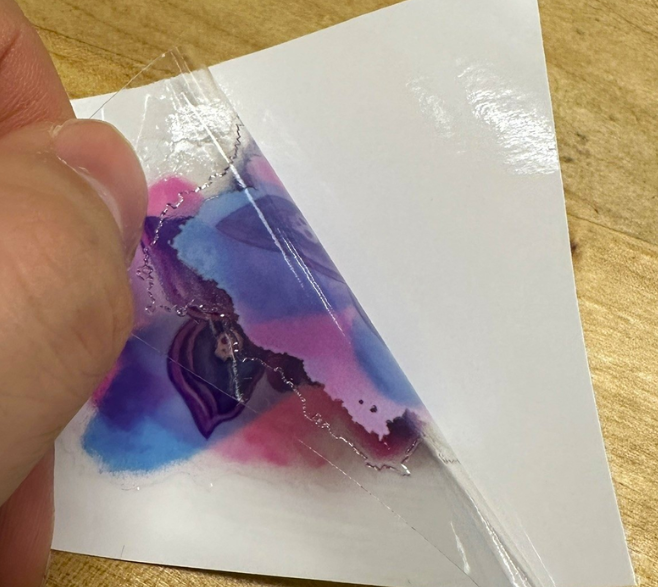
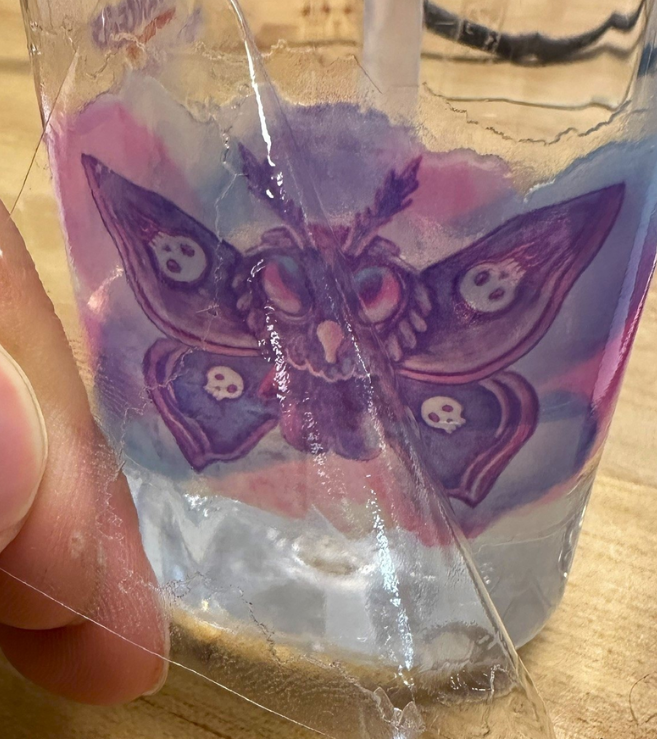
For adding decals onto a surface that isn’t compatible with the printer, you can print onto film. This is a multi-step process that works similar to vinyl transfers. The ink is printed directly onto a sticky film. That film is then put into a laminator to remove the sticky areas not covered by the ink. The decal can then be removed from the backing and applied to a new surface.
Precise Positioning
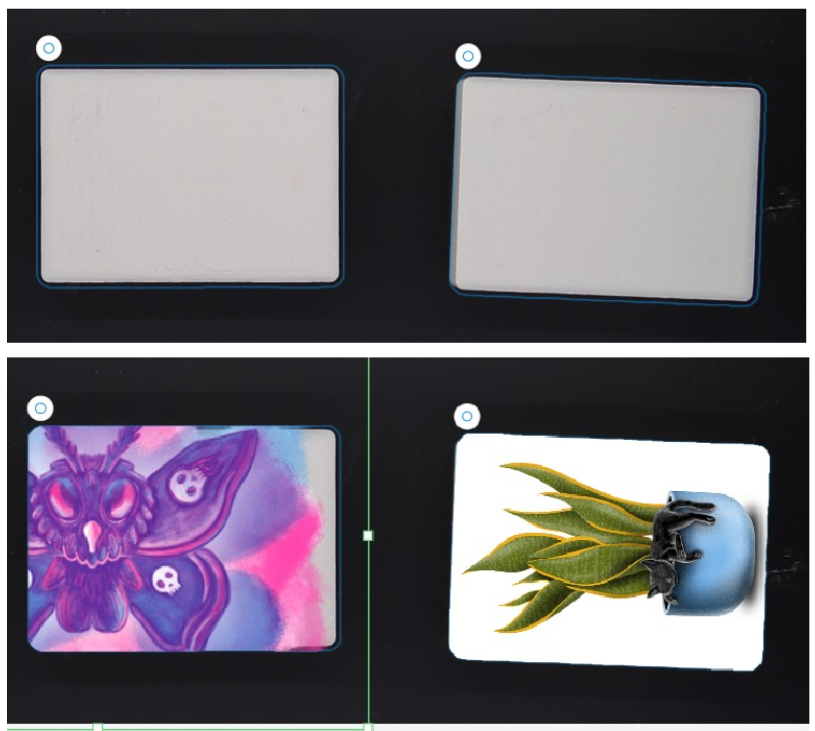
Position the print exactly where you want it. The printer will take a picture of the print bed and even create a contour of your material shape. Import your images and drag them into the contour. The software will then clip your images inside the shape. This masks out any unnecessary print imagery to help save on ink consumption.
Rotary Attachment
In addition to flat print beds, we also have a rotary bed to print onto rounded surfaces.
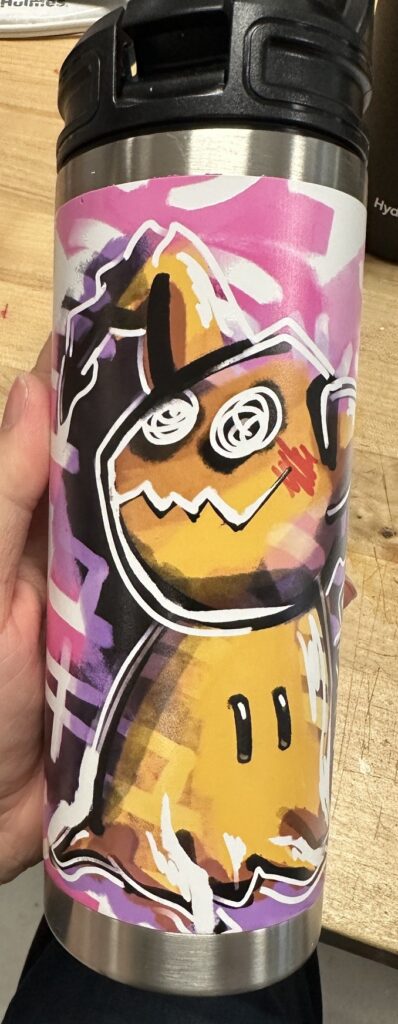
UV Printed design on a tumbler.
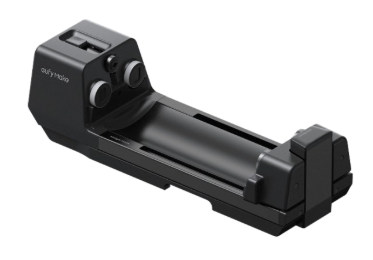
Rotary attachmet for UV printer.
Frequently Asked Questions
Is the ink food-safe?
No. It is not. When UV printing, you want to avoid areas that food, or your mouth will touch. Alternatively, you could seal a surface with a food-safe 2-part-epoxy.
Is it dry when done printing?
Yes. The ink is cured enough to touch and immediately remove from the print bed. It may be a little tacky and still have a smell, but that will resolve over time as it’s exposed to light.
What is the cost of printing?
As of October 2026, we are charging $0.35 per mL of ink. This is subject to change. Your total ink consumption will be calculated at the end of your reservation. There is a 1mL minimum. If your total ink consumption is less than 1mL at the end of your reservation, we will still charge $0.35.
How much ink does a single project use? / How long does it take to print?
These questions really depends on your print settings. If you’re just printing a flat graphic on a white object, it will be very fast with very little ink consumption. For example, I printed a flat graphic on a white, 4-inch, ceramic coaster consuming only 0.02mL which took 2.5 minutes. The ink consumption builds up once you’re printing with the texture features. That same design using a low-height texture consumed 1.74mL taking almost 15 minutes to complete. The high-texture 5×7 jellyfish print pictured above in this blog consumed 15.31mL and took 2 hours and 15 minutes.
Is there a way to print with textures at a faster speed?
Yes, a recent firmware update added the option to choose bidirectional printing. This setting allows the printhead to lay down ink as it moves to the right and to the left. This nearly halves the amount of time needed to complete a project. However, there is a slight decrease in quality when enabling this feature. With this feature enabled, the above jellyfish print probably would have only taken a little over 1 hour.
Start your certification on the UV Printer here, then schedule your in-person component of your training by emailing us at [email protected]. Post your UV printed makes to the Ignite Community Discussion Board on Facebook. Happy Making!